Short answer: Pinterest is a visual search engine where homeowners plan kitchen and bath remodels months before they call anyone. A cabinet business generates local leads from it by setting up a keyword-rich business profile, organizing boards the way homeowners search (service plus city), pinning every project with a city in the title, and linking those pins to a page that offers something worth an email address, like a cabinet cost guide or a free design consultation. Add geo-targeted Pinterest lead ads and let AI tools like ChatGPT and Claude write your pin titles and descriptions in batches, and Pinterest quietly becomes one of the cheapest lead sources in your market.
Your next customer is on Pinterest right now, planning a kitchen she has not told anyone about
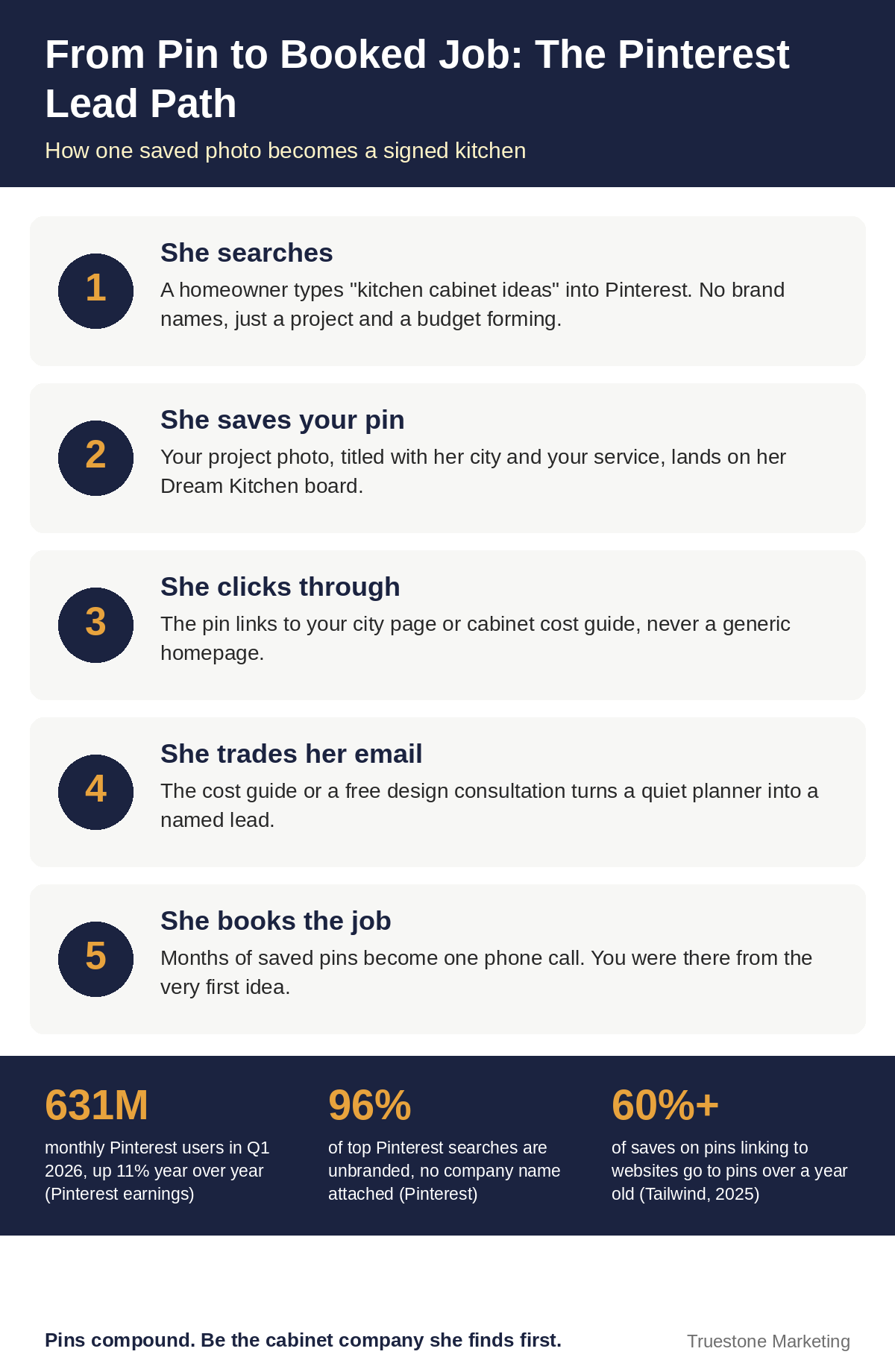
Here is the part most cabinet companies miss. A kitchen remodel gets planned in private for months before it becomes a phone call. The homeowner scrolls at night, saves forty photos of white oak cabinets, builds a board called “Dream Kitchen,” and only starts calling cabinet shops when her plan feels real.
That planning happens on Pinterest more than anywhere else. The platform reported 631 million monthly active users in the first quarter of 2026, up 11% year over year. And Pinterest says 96% of its top searches are unbranded. Read that again. People do not search for your competitor’s name. They search “small kitchen cabinet ideas” and “custom cabinets cost,” which means a shop they have never heard of can win the job if its content shows up first.
Your competitors are mostly ignoring this. They post a finished kitchen on Instagram, watch it fade in 48 hours, and call it marketing. Meanwhile a pin you publish today can still be sending you traffic next year. Tailwind’s 2025 benchmark of more than 1.2 million pins found that over 60% of saves on pins linking to websites went to pins more than a year old. No other platform pays you rent like that.
Stop treating Pinterest like social media. It is a search engine with pictures
Everything about your approach changes once this clicks:
- Nobody opens Pinterest to check on friends. They open it to search, save, and plan a purchase.
- Pinterest reads your pin titles, descriptions, and board names the way Google reads a web page. Keywords are not decoration. They are the whole distribution system.
- A great pin compounds. A great Instagram post evaporates. Budget your effort accordingly.
So the goal is not followers. The goal is to be the cabinet company that appears every time a homeowner in your metro searches for the project you want to sell.
Step 1: Build a profile that a local search can find
Switch to a free Pinterest business account and claim your website. Then write your profile like a search listing, not a slogan:
- Name field: Your business name plus your money keyword plus your city. “Hartman Custom Cabinets | Kitchen Cabinets Austin” beats “Hartman Custom Cabinets” every single time.
- Bio: Say what you build, where you build it, and what to do next. “Custom kitchen cabinets, refacing, and built-ins across Austin and Round Rock. Get our free cabinet cost guide below.”
- Cover and profile photo: Your best finished kitchen, not a logo nobody recognizes yet.
This takes twenty minutes, and it is the difference between Pinterest knowing you are a cabinet company in Austin and Pinterest having no idea what to do with you.
Step 2: Organize your boards like a showroom, named like searches
Boards are your showroom aisles. Homeowners browse them the way they walk a showroom floor, and Pinterest ranks them like pages. Name every board with the phrase a homeowner would type:
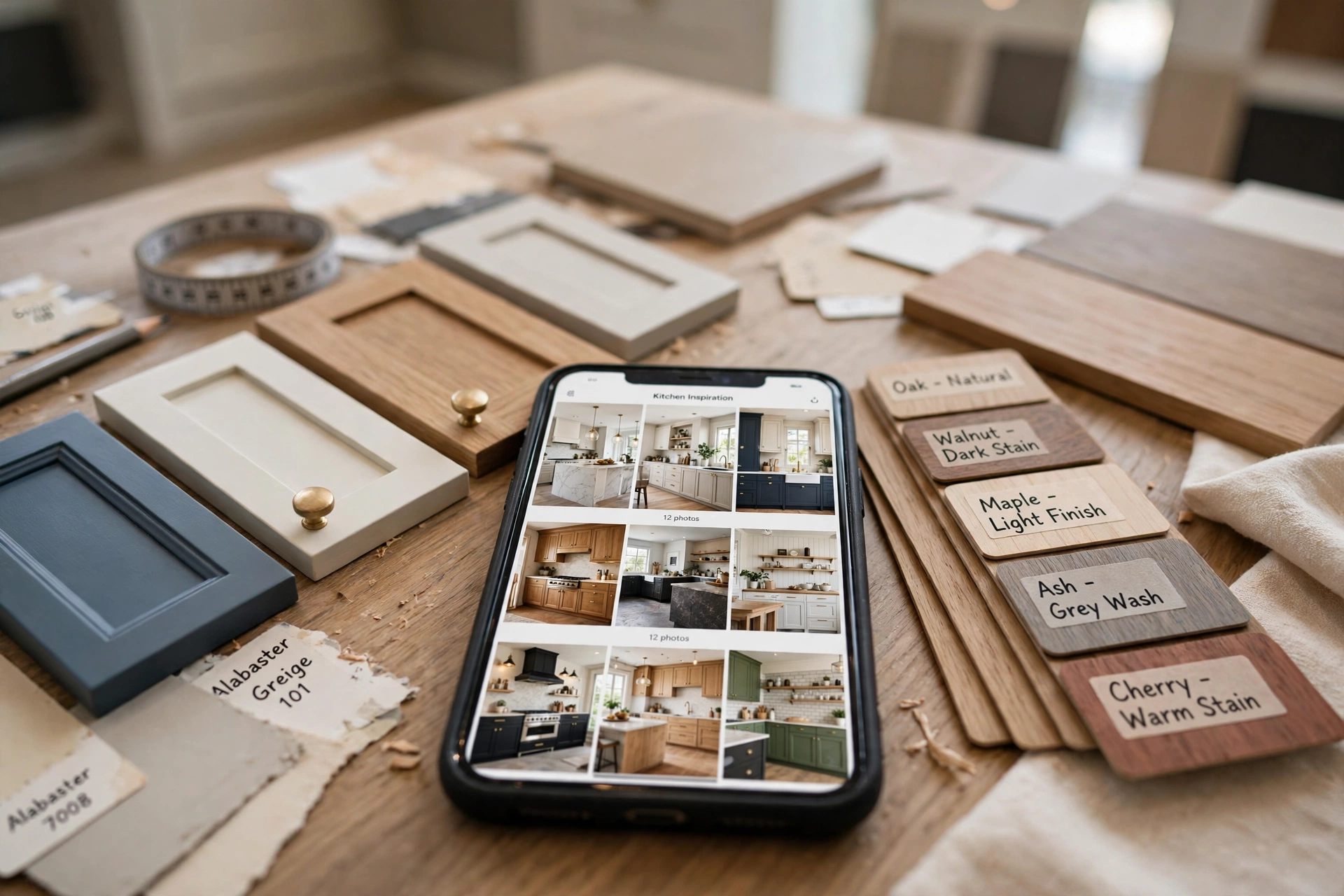
- Custom Kitchen Cabinets in Houston, TX
- White Oak Kitchen Cabinet Ideas
- Small Kitchen Storage Ideas That Actually Work
- Cabinet Refacing Before and After
- Bathroom Vanity Ideas for Phoenix Homes
- Shaker Cabinets: Colors, Hardware, and Costs
Write a two or three sentence description for each board with your services and city names in natural language. Skip cute board names like “Stuff We Love.” Nobody searches that, so nobody finds it.
Step 3: Pin every project the way homeowners search for it
Your job photos are the raw material. The pin around the photo is what makes it a lead generator:
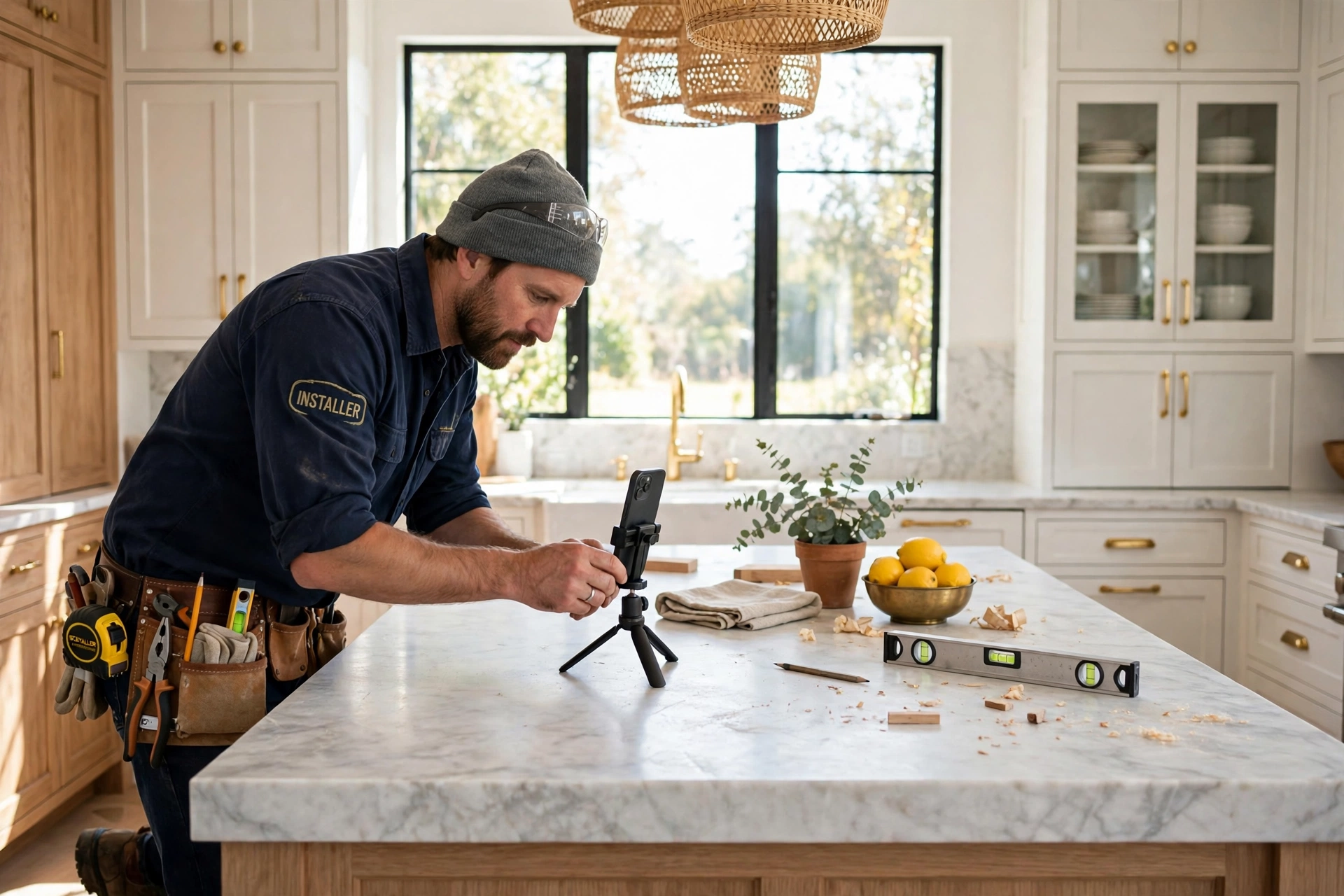
- Go vertical. Pins in a 2:3 ratio (1000 x 1500 pixels) take up more feed and get more saves. Crop your project photos tall.
- Put words on the image. A clean text overlay turns a pretty photo into a click: “Custom White Oak Cabinets in Dallas” or “What This Kitchen Cost: Full Price Breakdown.” Keep it short and readable on a phone.
- Title like a search, not a caption. “Frameless vs Framed Cabinets: Which Is Right for Your Kitchen?” will outwork “Another happy customer!!” forever.
- Describe it fully. Two or three sentences with your service, materials, and city, ending with the next step: “See the full project and price ranges on our Austin kitchen cabinets page.”
- Link to the matching page. Every pin should land on the city or service page it talks about, never your homepage. A homeowner from Scottsdale who lands on a Scottsdale page with a consultation form converts. One who lands on a generic homepage bounces.
One finished kitchen can honestly become five to ten pins: the wide shot, the island detail, the before and after, the storage inserts, the cost breakdown graphic. That is a week of content from a single job.
Step 4: Give her something worth trading an email for
Saves are nice. Leads pay the bills. The bridge between them is an offer, and cabinet businesses have better offers than almost anyone because homeowners are desperate for pricing clarity:
- The cabinet cost guide. “Kitchen Cabinet Costs in Texas: What Stock, Semi-Custom, and Custom Really Cost in 2026.” A simple PDF behind an email form. This is the single best lead magnet in this industry.
- The style lookbook. Your best projects sorted by style (modern, traditional, farmhouse, transitional) with materials and finishes labeled.
- The refacing vs. replacing checklist. One page that helps a homeowner decide, and positions you as the honest expert either way.
- The free design consultation. The direct route. Pin your best kitchens with “Book a free design consult in Charlotte” and link straight to the booking page.
Create one pin per week that points at your lead magnet, minimum. Every entrant to that list is a homeowner mid-planning, which is exactly who you want your follow-up emails talking to for the next six months.
Step 5: Go local on purpose, because Pinterest will not do it for you
Pinterest is a national platform, and that is the one real challenge for a local cabinet business. You solve it by layering location into everything:
- City and metro names in pin titles, descriptions, and board names, as covered above.
- A dedicated board for each metro you serve, filled with projects from that area. A shop serving both Tampa and Orlando should have two boards doing two jobs.
- Location pages on your website for each city, so pins land somewhere that names the homeowner’s town in the first sentence.
- Partnerships with local designers, realtors, and countertop fabricators who also pin. Group boards and shared project content put your work in front of their local audiences.
Cabinetry demand is not evenly spread, so this matters most where the remodel money is: Houston and Dallas-Fort Worth in Texas, Phoenix and Scottsdale in Arizona, Atlanta in Georgia, Charlotte and Raleigh in North Carolina, Orlando and Tampa in Florida, Nashville in Tennessee, and Denver in Colorado. If you run a cabinet business in one of those metros, your future customers are building dream kitchen boards tonight. The only question is whose cabinets are on them.
Step 6: Use Pinterest ads to skip the line
Organic pins compound slowly. Ads buy speed, and Pinterest ads have two features that fit cabinet lead generation unusually well:
- Geo-targeting by metro and radius. Run promoted pins to homeowners within your actual service area instead of the whole country. Your budget stops leaking to people three states away.
- The Leads objective and native lead ads. Pinterest offers a Leads campaign objective, and eligible advertisers can run lead ads with a form inside Pinterest itself, so a homeowner can request your cost guide or a consultation without leaving the app. Connect submissions to your CRM or a tool like Zapier so every lead lands in your inbox in minutes.
- Retargeting with the Pinterest tag. Install the tag on your website and show your best project pins to people who visited your pricing or services pages and left. They are already planning. You are just staying in the room.
Judge the ads the way you judge everything in this business: not cost per click, but cost per booked consultation against the value of one signed kitchen. A single custom cabinet job pays for a lot of pins.
The AI shortcut: let ChatGPT and Claude run your Pinterest desk
Here is where this gets unfair. The reason most cabinet shops quit Pinterest is the writing: titles, descriptions, board names, week after week. AI tools like ChatGPT and Claude now do that work in minutes if you feed them your project details. Three prompts worth stealing:
Prompt 1: Pin titles and descriptions.
“Act as a Pinterest SEO copywriter for a custom cabinet company in [your city]. Here are details of a finished project: [materials, style, room, neighborhood, price range]. Write 10 pin titles under 100 characters using phrases homeowners search, like ‘custom kitchen cabinets [city]’ and ‘white oak kitchen ideas.’ Then write a 2-sentence description for each with a soft call to action to download our free cabinet cost guide.”
Prompt 2: A month of content from one job.
“Here are photos and notes from one kitchen remodel we completed in [city]: [paste notes]. Turn this single project into a 10-pin content plan: for each pin give me the image angle, the text overlay wording, the title, and which board it belongs on.”
Prompt 3: Board architecture.
“List 15 Pinterest board names a cabinet company in [city] should have to rank for local searches about custom cabinets, refacing, kitchen storage, and bathroom vanities. For each board, write a 2-sentence keyword-rich description.”
Two working habits make this sing. First, batch it: one afternoon a month with Claude or ChatGPT produces every title, description, and overlay for the next thirty days, and a scheduling tool drips them out. Second, close the loop: once a month, paste your Pinterest analytics into Claude and ask which topics earned saves and outbound clicks, then order next month’s content around the winners. That is a marketing analyst’s workflow, and it now costs you one coffee and one conversation.
One honest warning: AI writes the words, but the photos must be yours. Homeowners can smell a stock kitchen, and Pinterest planning is built on trust. Real projects, real cities, real prices. Let the robots do the typing, not the lying.
A realistic routine (because you still have a shop to run)
- One afternoon a month: photograph finished jobs, run the AI prompts, write and schedule the month’s pins.
- Five fresh pins a week is a strong start; daily is better once the batch habit exists, and the batch makes it possible.
- One new lead-magnet pin every week, rotated between your cost guide, lookbook, and consultation offer.
- One hour a month: review analytics, double down on the boards and topics pulling saves and clicks, feed the results back into your AI prompts.
Mistakes that waste cabinet companies’ time on Pinterest
- Pretty photos with no keywords anywhere. If the word “cabinets” and your city never appear in text, Pinterest cannot match you to searches.
- Linking every pin to the homepage. The click dies there. Match the pin to a page about that exact service in that exact city.
- No offer anywhere. Traffic without a lead magnet is just applause.
- Copying national brands. You do not need their reach. You need every planning homeowner within thirty miles, and that is a much easier game.
- Quitting at month two. Pins compound for a year or more. The shops that win treat month one as planting season.
The bottom line
Pinterest is where kitchen dreams get planned, saved, and priced out, months before the first phone call. A cabinet business that shows up there with searchable boards, project pins named for its cities, a cost guide worth an email address, and a small geo-targeted ad budget will collect leads its competitors never even see. And with ChatGPT and Claude doing the writing in one afternoon a month, the old excuse, “no time for marketing,” is officially retired. Your next five kitchens are already on someone’s board. Make sure they are looking at your work.
Frequently Asked Questions
Does Pinterest really work for a local cabinet business, or is it just for national brands?
It works for local businesses because the search is local in intent even when the platform is national. Homeowners search styles and costs first, then look for who near them does that work. With your city in your profile, board names, and pin titles, plus landing pages for each city you serve, your pins surface for the planners in your metro, and Pinterest ads let you geo-target that metro directly.
How long does Pinterest take to generate leads for a cabinet company?
Expect early saves and clicks within the first month or two, and meaningful lead flow in three to six months as your pins get indexed and start compounding. That sounds slow until you remember the payoff: pins keep producing for a year or longer, unlike an ad that stops the day you stop paying. Running a small lead ads campaign alongside the organic work bridges the gap.
How many pins should a cabinet business post each week?
Five fresh pins a week is a realistic, effective starting point. Fresh matters more than volume: one new pin made from a real project photo outperforms ten recycled graphics. When you batch a month of pins in one afternoon using AI tools for the writing, most shops find they can sustain five to ten pins a week without it eating shop time.
What should I pin if my project photos are just phone photos?
Pin them. Homeowners trust real job photos more than polished stock imagery, and modern phones shoot more than well enough. Shoot the finished kitchen in daylight, wipe the counters, take one wide shot and several detail shots (island, hardware, storage inserts), and crop vertical for Pinterest. Before and after pairs from phone photos are consistently among the best-performing cabinet content on the platform.
Do Pinterest ads work for cabinet lead generation?
Yes, particularly the Leads objective with geo-targeting. You can restrict delivery to your metro and service radius, target kitchen remodel interests and keywords, and use native lead ads with a form inside Pinterest so homeowners can request your cost guide or a consultation without leaving the app. Judge results by cost per booked consultation, not cost per click.
Can ChatGPT or Claude really write my Pinterest content?
Yes, and this is the workflow most cabinet shops are missing. Feed ChatGPT or Claude your project details (style, materials, city, price range) and ask for search-style pin titles, descriptions, board names, and text overlays. One project becomes ten pins in minutes. Review everything before posting, keep the facts accurate, and always use your own project photos. The AI does the typing; your work supplies the proof.
Do I need a blog for Pinterest to send me leads?
No. A blog helps because articles give you more pages to pin, but the minimum viable setup is three things: service and city pages on your website, one lead magnet page with an email form (a cabinet cost guide is perfect), and a consultation booking page. Pins linked to those pages generate leads without a single blog post.
Post Views: 18